Mileage tracking is one of the easiest gig-work records to lose and one of the hardest to recreate accurately. Track it while driving, not at tax time.
A good log should answer two simple questions: why did this trip happen, and which business activity did it support? Once those answers are clear, mileage becomes useful for taxes, platform disputes, and profit review.
Quick answer: mileage tracking
Track every business trip with date, distance, vehicle, route or destination, platform, and purpose. Split personal stops and platform switches. Export monthly so records match payouts, receipts, and tax forms.
What to track
Track:
- accepted rides, deliveries, pickups, drop-offs, and return trips
- between-order or between-ride driving when still working
- shopping, package, grocery, or supply runs
- inspections, vehicle service, permit errands, and support trips
- property visits for hosting
- estimates and job-site visits for local services
- total vehicle miles or kilometres when needed for actual expenses
What usually belongs
Business mileage usually belongs when the trip has a clear business purpose and can be tied to a platform, customer, property, route, or task. Strong notes include Uber airport pickup, DoorDash return to store, Instacart Costco batch, Airbnb cleaning check, or Thumbtack estimate visit.
What usually does not count
Personal errands, normal commuting without a business stop, family trips, personal meals, vacations, and unsupported estimates are weak. If you drive to a grocery store for both Instacart supplies and personal shopping, split or note the business portion.
Regional mileage records
United States
For 2026, the IRS business standard mileage rate is 72.5 cents per mile. The standard mileage method is optional. Some drivers may use actual vehicle expenses, but that requires total vehicle miles, business miles, and receipts for vehicle costs.
What the IRS wants to see
Useful US mileage records include:
- date
- miles
- destination or route
- business purpose
- vehicle
- total miles when needed
- receipts for tolls, parking, and actual expenses
- consistency with platform statements and calendar records
Canada
Canadian records should include total kilometres and business kilometres for each vehicle. CRA guidance points to logbook records with date, destination, purpose, and kilometres. Finance Canada announced 2026 tax-exempt employee automobile allowance limits of 73 cents per kilometre for the first 5,000 kilometres and 67 cents after that, but self-employed claims still depend on proper records. For a Canada-only app and logbook workflow, use Mileage Tracking App Checklist (Canada).
Europe
European rules vary by country. Keep date, vehicle, route, distance, customer or platform, purpose, fuel or charging receipts, invoices, VAT records where relevant, and business-use splits.
Workflow
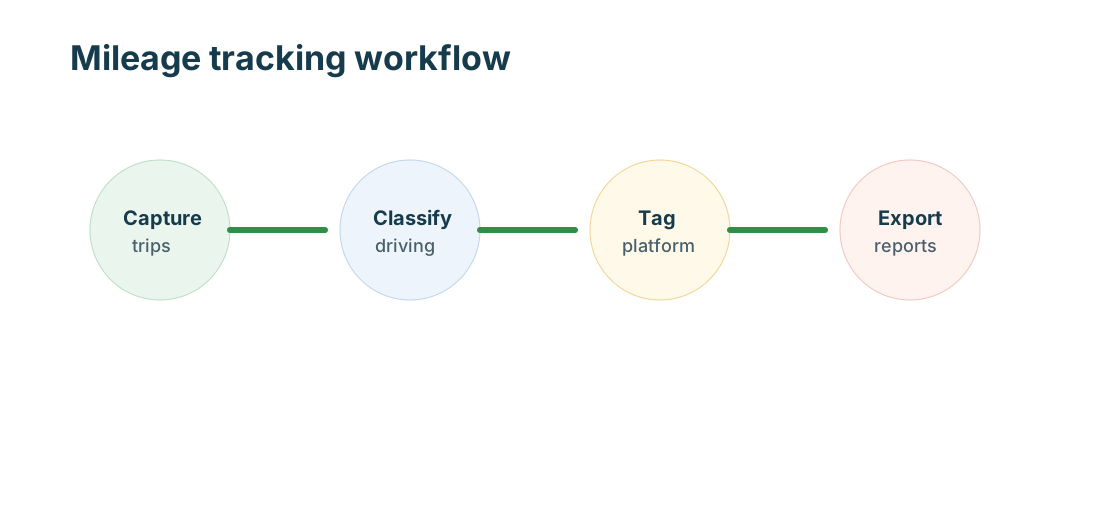
Turn on automatic tracking before starting. During work, add notes for platform switches, returns, or unusual routes. After work, split personal stops. Weekly, review tags. Monthly, export mileage and match it to income and expense records.
Common mistakes
- reconstructing mileage from memory
- tracking only paid passenger or delivery miles
- ignoring unpaid repositioning
- combining several apps in one tag
- missing returns and supply runs
- forgetting total vehicle miles
- losing parking and toll records
- not separating personal stops
Quick checklist
- Start tracking before leaving.
- Tag the platform.
- Add business-purpose notes.
- Split personal stops.
- Save tolls and parking.
- Review weekly.
- Export monthly and at year-end.
Daily tracking habits
Business-purpose notes
Use short, specific notes. The note should explain why the trip existed: Lyft pickup, Uber Eats return, Shipt grocery batch, Amazon Flex block, Airbnb restock, Wag walk, or Thumbtack estimate. Specific notes are easier to defend than generic business labels.
Mixed platform driving
When switching apps, split trips by platform when possible. If the route overlaps, keep a note explaining the sequence. The goal is to avoid claiming the same mile twice while still capturing business driving that happened between tasks.
Monthly reconciliation
At month-end, compare mileage with platform statements. A sudden mileage spike without matching income may show unpaid repositioning, weak offers, long returns, or personal miles that need cleanup.
Tricky mileage rules
Standard mileage versus actual expenses
The standard mileage method is simpler because it multiplies business miles by the allowed rate. Actual expenses can include fuel, charging, maintenance, repairs, insurance, registration, depreciation, lease costs, and other allowable vehicle costs. Actual expenses require stronger records because you need total vehicle use and business-use percentage.
For US taxpayers, method choice can have timing rules. A vehicle owned and used for business generally needs the standard mileage method chosen in the first year if you want that method available later. Leased vehicles have their own consistency rules. Keep records early even if you decide later.
Commuting and first-trip issues
Commuting rules can be confusing for app workers. Driving from home to the first business stop may be different from driving after you are already working. A regular qualifying home office can change the analysis for some taxpayers, but not every desk or phone creates that result. Keep facts clear: where the trip started, what business task happened, when personal use started, and whether the trip was tied to an accepted job.
Examples by work type
Rideshare examples
Rideshare mileage can include driving to a pickup after accepting a request, passenger miles, between-ride repositioning while still working, airport queue movement, cleaning trips after a passenger issue, inspections, and platform support errands. It usually should not include personal commuting after you shut off the app.
Delivery examples
Delivery mileage can include restaurant pickup, store pickup, customer drop-off, return-to-store trips, grocery shopping routes, batched delivery routing, and supply runs for bags or carts. If you run a personal errand between orders, split it.
Hosting and local service examples
Airbnb hosts may track cleaning checks, supply runs, repair visits, inspections, and permit errands. Thumbtack pros may track estimates, job sites, supply stores, disposal trips, and return visits. These are not passenger or delivery miles, but they can still be business trips when tied to the activity.
Review and export
App screenshots are not enough
Platform maps may show paid routes, but they often miss unpaid business miles, returns, waiting, repositioning, support trips, and supply runs. A complete mileage log should stand on its own with date, purpose, distance, and vehicle.
Year-end export
At year-end, export by vehicle, platform, and date range. Save the export with statements and receipts. If a tax professional asks why miles are high compared with income, the notes should explain deadhead routes, returns, multi-app switching, or property visits.
Edge cases by work type
Not every mile falls neatly into paid miles or personal miles. Rideshare drivers may wait in an airport queue, reposition after a long drop-off, or drive to a car wash after a passenger issue. Delivery drivers may return alcohol, groceries, or undeliverable packages. Grocery shoppers may drive between stores in one batch. Hosts may combine a property inspection with a personal stop. Local service pros may drive to an estimate that never books.
The record should explain the business reason. If the trip failed to create income but was still a business attempt, note that. If the trip partly served personal needs, split it.
Odometer and total vehicle miles
Actual vehicle expenses and business-use percentages often require total vehicle miles or kilometres. Record beginning and ending odometer readings or use another reliable method to know total annual use. Business miles alone are not enough when you need a business-use percentage.
Tolls, parking, and charging
Mileage logs should not bury direct trip costs. Save toll statements, parking receipts, charging sessions, and ferry charges with the trip or month. These costs can change route profitability even when the mileage deduction looks healthy.
Multi-vehicle records
If you use more than one vehicle, keep separate logs. A fuel-efficient car, rental, spouse-owned vehicle, e-bike, or van can each have different records. Do not combine miles across vehicles unless the export clearly separates them.
What a monthly export should include
A useful export includes trip date, start and stop locations or route context, distance, vehicle, platform tag, notes, and totals by date range. Keep the raw export plus the cleaned tax-year summary. The raw export supports the detail; the summary helps filing.
Common mileage scenarios
If you leave home, accept a delivery, pick up food, deliver it, then drive to a personal appointment, the business portion ends when the work route ends. If you finish a passenger trip far from home and keep the app on while returning to a busy area, that repositioning needs a clear work note. If you buy supplies for three platforms in one trip, note the platforms and split personal purchases.
Records for audits and reviews
Mileage records are used for more than taxes. They can explain platform disputes, customer claims, delivery returns, property visits, and insurance questions. Keep the export, but also keep notes for unusual routes, missed GPS segments, manual corrections, and app switches.
Mileage log examples by platform
Uber and Lyft drivers should capture the accepted pickup drive, passenger route, airport queue movement, repositioning while still available, inspection trips, and cleaning trips after a rider issue.
DoorDash, Uber Eats, Shipt, Instacart, Walmart Spark, and Amazon Flex drivers should capture store or restaurant pickup miles, customer delivery miles, return trips, long wait repositioning, and store-to-store driving for batched work. Airbnb hosts should capture property checks, supply runs, maintenance visits, and cleaner handoffs.
Thumbtack pros should capture estimates, supply-store visits, job-site travel, disposal trips, and return visits. Wag walkers should capture client-home travel, key pickup, pet-supply stops, and emergency support trips.
When the log looks high
A high mileage total is not automatically wrong. Gig work can create unpaid business driving after long drop-offs, failed deliveries, cancelled jobs, rural routes, airport trips, property visits, and multi-app repositioning. The record becomes credible when the notes explain the pattern. A monthly review should identify whether high mileage came from profitable work, weak offers, service-area problems, or personal trips that need to be removed.
MyCarTracks workflow
Use MyCarTracks automatic mileage tracking, platform tags, and exports. Keep the monthly mileage report with platform statements, receipts, and tax documents.
What to read next
- Gig Guides: Taxes, Mileage, and Platform Guides for Gig Workers
- Mileage Tracking App Checklist (Canada)
- GST/HST for Gig Drivers (Canada)
- Gig Work Tax Guide for the US, Canada, and Europe
- How to Track Income and Expenses Across Multiple Gig Apps