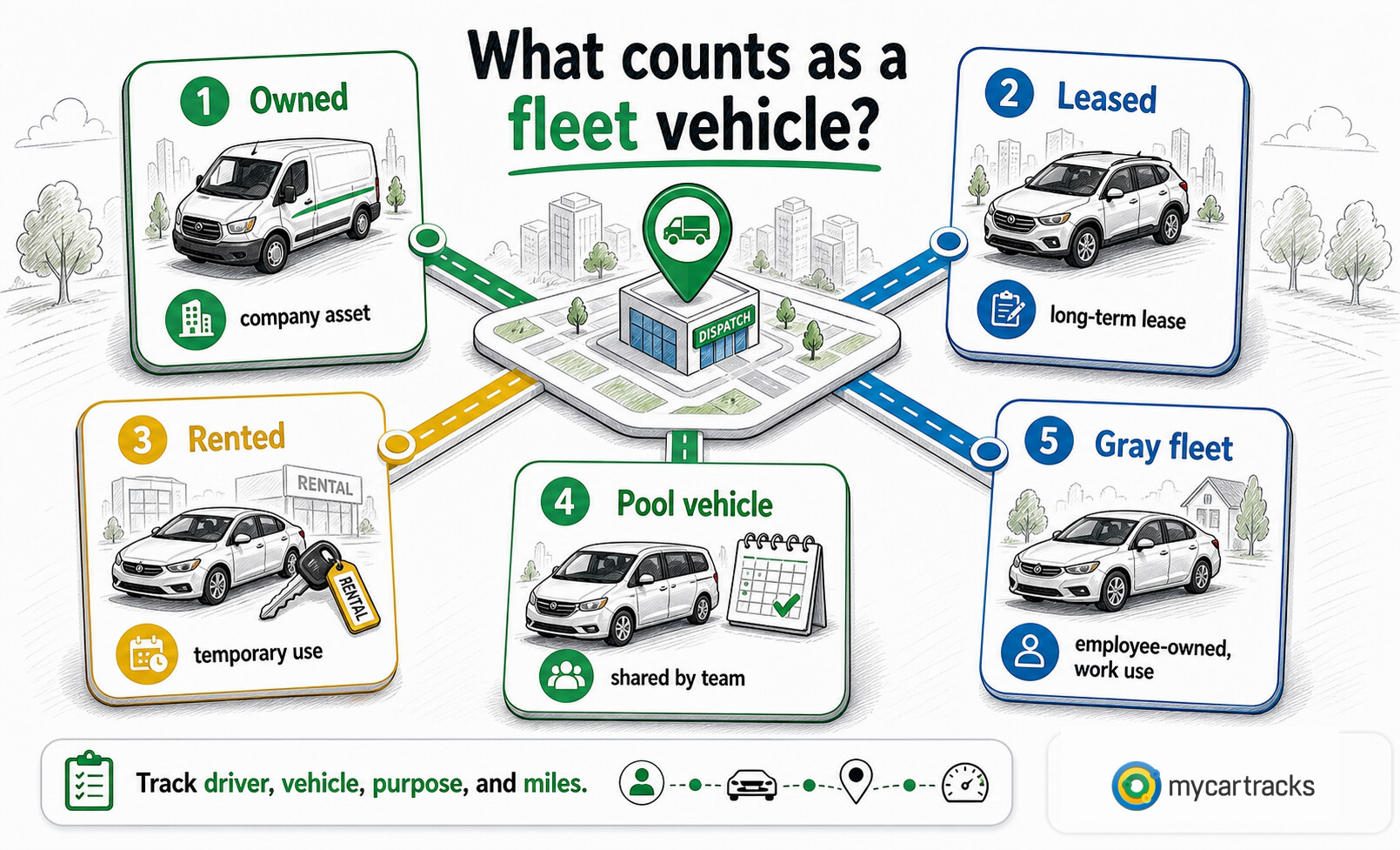
A fleet vehicle is any vehicle a business, public agency, nonprofit, or other organization uses for work. The vehicle might be owned, leased, rented, assigned to one employee, shared by a team, or part of a gray-fleet program where employees use their own cars for company business.
Fleet programs can give a company more control over vehicles, branding, maintenance, routing, and driver safety. They also create recordkeeping duties: business use, personal use, mileage tracking, maintenance, insurance, and taxable fringe-benefit review need to be documented. For employer-provided vehicles, IRS Publication 15-B explains how personal use may be valued, and MyCarTracks automatic mileage tracking can help keep driver, vehicle, and trip records organized before payroll or accounting review.
This article is educational and is not tax, legal, payroll, employment, insurance, or financial advice. Fleet rules can change by vehicle type, tax year, state-specific rules, insurance policy, employer policy, and federal tax treatment. Review the official source and a qualified professional before relying on a fleet, reimbursement, or payroll decision.
Quick answer
A fleet vehicle is a work vehicle used by an organization, whether it is owned, leased, rented, shared, assigned, or managed as part of a gray fleet. Strong fleet programs track driver, vehicle, trip purpose, business mileage, personal use, maintenance, fuel or charging, insurance, and exceptions in one repeatable workflow.
What counts as a fleet vehicle?
A fleet vehicle is a work vehicle controlled by or used for an organization. It can be a car, van, pickup, box truck, bus, utility vehicle, service vehicle, delivery vehicle, or specialized vehicle. The key point is business use: the vehicle supports transportation, logistics, deliveries, field service, construction, utilities, public safety, waste management, maintenance, or another work purpose.
Fleet does not always mean company-owned. A business may buy vehicles, lease them, rent them temporarily, provide pool vehicles, assign vehicles to specific employees, or manage a gray fleet of employee-owned vehicles used for work. The record requirements change with the setup, but the business still needs a consistent way to connect vehicle use to drivers, dates, routes, mileage, purpose, and costs.
Fleet vehicle management
Fleet management has four practical parts: choosing vehicles, maintaining them, tracking costs and mileage, and retiring or replacing vehicles.
Acquisition starts with the job the vehicle needs to do. A field-service van, branded sales car, delivery truck, and utility vehicle have different requirements for payload, fuel or charging, reliability, insurance, driver comfort, and total cost. The cheapest vehicle on the purchase date may not be the cheapest vehicle after maintenance, downtime, and resale value are included.
Maintenance keeps vehicles safe and available. A useful fleet workflow includes inspection schedules, oil changes, tire rotations, repairs, recalls, emissions checks where required, cleaning standards, and driver-reported damage. Maintenance records also help explain why one vehicle costs more per mile than another.
Expense and mileage tracking gives managers the data they need to control spending. Fuel or charging, repairs, tolls, parking, insurance, registration, depreciation, and idle time all matter, but mileage is the common denominator. A good record can show cost by vehicle, driver, department, route, job, customer, or period.
Disposal matters when a vehicle is no longer useful for its original role. Selling, trading, recycling, or repurposing a vehicle should be tied to the vehicle history: mileage, repairs, accidents, inspections, title documents, and maintenance notes. That history helps the business reduce surprises and avoid treating vehicle replacement as a guess.
Benefits of fleet vehicles
Fleet vehicles can make sense when the business needs control that a personal-vehicle reimbursement program cannot provide. The main benefits are:
- vehicle specifications that match the job
- consistent branding, signage, and customer-facing presentation
- bulk purchasing or leasing leverage
- centralized insurance and maintenance controls
- better route, dispatch, and driver accountability
- easier equipment standardization for service or delivery roles
- clearer asset planning for teams that drive every day
Fleet vehicles can also simplify the employee experience in roles where the vehicle is essential to the job. A technician who needs tools, parts, ladders, or specialized equipment may be better served by a company vehicle than by a personal-car reimbursement policy. The same may be true for delivery, public-service, utility, construction, or emergency-response teams.
Challenges in fleet vehicle management
Fleet vehicles can be expensive because the business pays for acquisition, financing or leasing, maintenance, repairs, insurance, registration, storage, administration, and downtime. Those costs continue even when vehicles are underused.
Accident and safety exposure also need serious attention. The Bureau of Labor Statistics tracks work-related transportation incidents, and a company-owned or company-controlled vehicle can create insurance, wage, safety, and claim-handling questions that are different from a personal vehicle used occasionally for work.
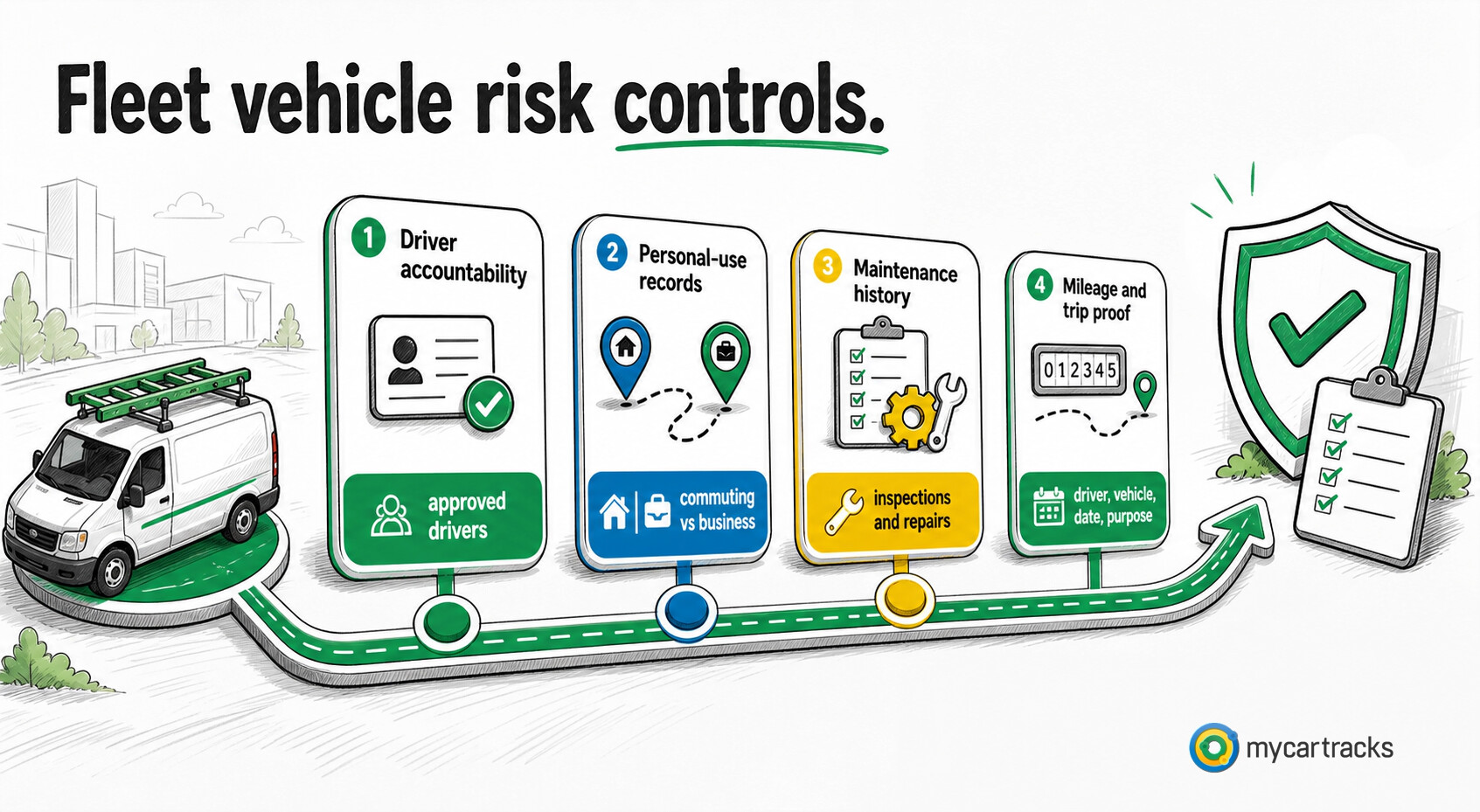
Personal use is another common weak spot. If an employee takes a vehicle home, commutes in it, runs personal errands, or has family members use it, the business needs a written policy and records. IRS Publication 15-B covers employer-provided vehicle valuation rules, including personal use, commuting rules, qualified nonpersonal-use vehicles, and when business-use substantiation matters.
Administrative burden is the final challenge. Someone has to review driver eligibility, insurance, fuel cards, inspections, repairs, tolls, parking, tickets, accident reports, mileage, and personal-use records. Without a clean system, the fleet becomes a collection of vehicles instead of a managed program.
Mileage tracking tools for more efficient fleet management
Fleet tools should reduce missing records and help managers act sooner. The common stack includes:
- GPS tracking for route visibility, dispatch, theft recovery, and idle-time review
- telematics for vehicle health, diagnostic codes, driver behavior, fuel use, and maintenance planning
- fleet management software for vehicle assignments, service schedules, documents, and reporting
- mileage tracking for business miles, personal use, project tags, and reimbursement support
- expense tools for fuel, charging, tolls, parking, repairs, and receipts
For smaller teams, the most important improvement is often a consistent mileage and trip workflow. Use one format for driver, vehicle, date, route, distance, purpose, and approval status. For larger teams, reporting should also flag exceptions such as unusually long routes, missing business purpose, unassigned trips, duplicate fuel receipts, overdue inspections, and vehicles with rising cost per mile.
Environmental considerations for fleet vehicles
Fleet decisions increasingly include fuel type, emissions, route efficiency, and maintenance discipline. Electric vehicles, hybrids, compressed natural gas vehicles, biodiesel vehicles, and hydrogen fuel-cell vehicles may fit some use cases, but the right answer depends on route length, charging or fueling access, payload, downtime tolerance, local incentives, and resale assumptions.
The vehicle type is only one part of the environmental picture. Efficient routing, less idling, preventive maintenance, tire care, driver training, and better dispatching can reduce wasted miles even when a fleet still uses gasoline or diesel vehicles.
Safety and training for fleet drivers
Fleet safety starts with clear driver expectations. A policy should cover licensing, approved drivers, vehicle inspections, seat belts, phone use, impairment, speed, accident reporting, maintenance reporting, weather, fatigue, and what happens after a preventable incident.
Training should match the work. A sales representative, delivery driver, utility crew, and van driver may need different instruction. Telematics and GPS data can support coaching, but the goal should be safer operation and better accountability, not surprise surveillance. If drivers are subject to hours-of-service or industry-specific rules, those requirements need to be handled separately from a generic fleet policy.
Fleet vehicle vs mileage reimbursement
Fleet vehicles are strongest when the business needs a specific vehicle, specialized equipment, consistent branding, or tight operational control. Mileage reimbursement is often better when employees drive their own cars only part of the time and the business wants lower asset, maintenance, and insurance administration.
| Program choice | Strong fit | Main record risk |
|---|---|---|
| Fleet vehicle | high-control roles, specialized equipment, shared assets, branding | personal-use tracking, maintenance records, driver accountability |
| Company car | assigned employee vehicle with company control | taxable fringe-benefit review and commuting records |
| Mileage reimbursement | employees use personal vehicles for approved business trips | missing, late, or estimated trip logs |
| Car allowance | predictable monthly benefit | weak connection to actual business mileage and potential tax waste |
| FAVR | regular drivers with different fixed and variable costs | more complex IRS and policy administration |
Before changing programs, compare car allowance vs mileage reimbursement, car allowance vs company car, and FAVR reimbursement plans. If the deciding issue is proof rather than program design, start with IRS mileage log requirements.
MyCarTracks workflow for fleet mileage
Use MyCarTracks as the trip-record layer, then let your fleet, payroll, accounting, or tax process decide how those records are used.
- Record trips automatically.
- Assign the correct driver and vehicle.
- Separate business, commuting, and personal use.
- Add tags for route, project, customer, department, or job.
- Review exceptions weekly before payroll or month-end close.
- Export reports by vehicle, driver, period, or program.
If your team needs cleaner mileage reports by driver and vehicle, MyCarTracks mileage reports can reduce spreadsheet reconstruction. For the broader product view behind team tracking, reports, and exports, see MyCarTracks.
Common mistakes
- treating fleet vehicles as assets without assigning driver accountability
- missing personal-use and commuting records for take-home vehicles
- relying on fuel receipts when the real question is business mileage
- tracking maintenance without connecting it to mileage and vehicle history
- letting shared vehicles leave without checkout, damage, or cleaning notes
- comparing fleet vehicles against reimbursement programs without actual mileage data
- using one policy for assigned vehicles, shared pool vehicles, rentals, and gray-fleet driving
FAQ
Is a fleet vehicle always owned by the company?
No. A fleet vehicle can be owned, leased, rented, assigned, pooled, or employee-owned under a gray-fleet program. What matters is that the vehicle is used for the organization’s work and is governed by the organization’s policy.
What records should a fleet vehicle have?
Keep the driver, vehicle, trip date, route or destination, miles, business purpose, odometer readings where needed, fuel or charging, repairs, inspections, damage notes, insurance documents, parking, tolls, and any personal-use or commuting records.
How is a fleet vehicle different from mileage reimbursement?
A fleet vehicle is a company-controlled asset or program vehicle. Mileage reimbursement pays an employee for approved business use of a personal vehicle. Fleet programs focus on assets, maintenance, safety, and personal-use controls; reimbursement programs focus on trip proof and payment rules.
Can employees use fleet vehicles for personal driving?
Only if the employer allows it and tracks it properly. Personal use of an employer-provided vehicle may be taxable unless an exclusion applies, so the policy should explain what is allowed, how use is recorded, and how payroll review works.
When should a business consider moving away from fleet vehicles?
Review the program when vehicles are underused, maintenance and insurance costs are rising, personal-use tracking is weak, or employees can do the work safely in personal vehicles with a structured reimbursement program. Some roles still need fleet vehicles, especially when specialized equipment, branding, payload, or safety controls matter.
What to read next
- What Is Mileage Reimbursement?
- How to Calculate Mileage Reimbursement
- Car Allowance vs Company Car
- FAVR Reimbursement Plans Explained
- What Is a Mileage Log?
- Mileage Logbook Template and Examples