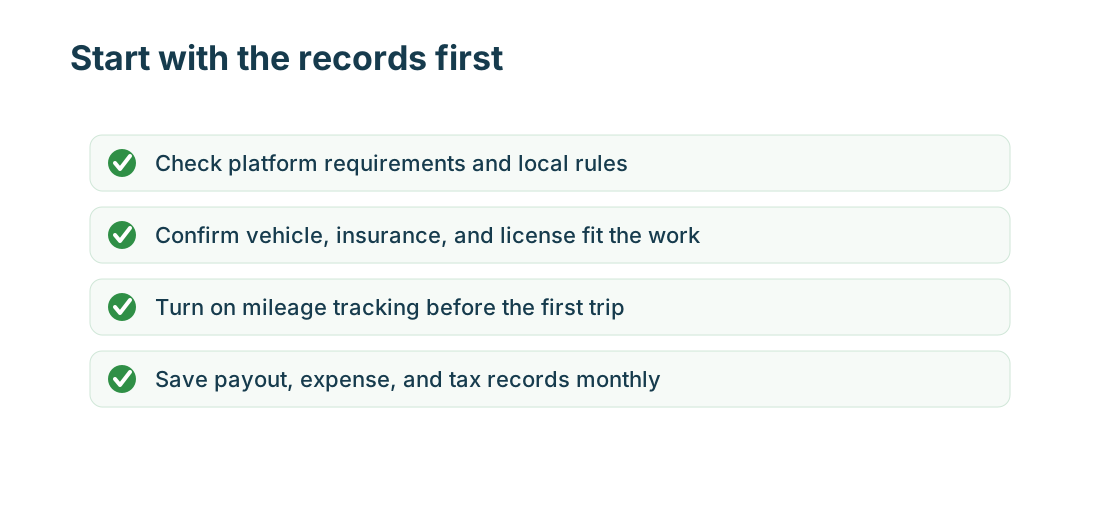
If you’re trying gig driving Canada as side income, focus first on the money after costs. App work can pay when the platform fits your city, your vehicle costs stay under control, and your records are clean enough for tax time.
It’s a better fit if you can handle repetitive app tasks, stay calm in traffic and bad weather, and provide reliable customer service without treating every gross payout as profit. The work is usually weakest when you compare only gross app pay and ignore fuel, charging, insurance, maintenance, unpaid waiting, return driving, and tax cash.
Most Canadian gig drivers and couriers are treated as independent contractors for tax records. That means you report business or self-employment income, keep receipts, and support vehicle expenses with total kilometres, business kilometres, and a clear business-use percentage. For CRA purposes, gig economy guidance includes online platform work as gig economy income and points Canadian resident gig workers to Form T2125 for self-employed business activity.
Quick answer
Gig driving is worth testing in Canada if you can answer four questions with records:
- Which app can you legally and safely use in your city?
- What does each ride, delivery, or batch pay after kilometres, vehicle costs, and waiting time?
- Which tax records do you need for income tax, GST/HST, and platform statements?
- Does your personal insurance or rideshare/delivery coverage actually fit the work?
Start small, track every kilometre from the first week, and review profit by platform before changing cars, buying equipment, or committing to full-time hours. Keep a repair cushion before you rely on gig driving for bills; a single tire, brake, battery, or insurance issue can erase several strong shifts. If pay claims are the reason you are comparing apps, use the Delivery and Rideshare Driver Earnings (Canada) workflow before treating a gross number as take-home pay.
What counts as gig driving in Canada
Gig driving usually means using an app to earn income from passenger rides, restaurant delivery, grocery shopping, parcel delivery, or courier work. In Canada, common app-based driving work includes:
- rideshare driving with platforms such as Uber or Lyft
- food delivery through Uber Eats, DoorDash, SkipTheDishes, or similar apps
- grocery shopping and delivery through Instacart
- courier or package work where the platform assigns routes, orders, or blocks
The work may feel casual, but the records are business records. A platform app may show trips, weekly deposits, fees, tips, incentives, and tax summaries, but it will not usually replace your own kilometre log, receipts, insurance file, or monthly profit review.
Rideshare or delivery: the main choice
Rideshare puts passengers in your car. It can reward strong customer service, clean vehicle presentation, busy commute windows, airport demand, and comfort with city driving. A high rating may help you qualify for platform perks, and clean, calm, consistent service matters more than a perfect route plan. It also brings stricter vehicle, document, inspection, local bylaw, insurance, and GST/HST issues than many delivery-only setups.
Delivery and grocery work usually has less passenger interaction. You still need to manage parking, restaurant waits, apartment drop-offs, grocery substitutions, heavy items, food temperature, delivery bags, and customer support. Delivery can be easier to test part time, but the lower-friction setup does not make every order profitable.
If you try both, do it deliberately. Learning two apps at once can slow you down at first, and taking orders or rides from more than one app at the same time can create late pickups, poor service, penalties, or deactivation risk. Keep each platform’s income, kilometres, fees, tips, and expenses separate so one busy app does not hide another app’s weak results.
Gig driving Canada platform options
Availability and requirements change by city, province, vehicle type, and delivery mode. Use each platform’s current onboarding page before you apply.
| Platform | Main work type | Canada notes and local guides |
|---|---|---|
| Uber | Rideshare | Check Uber’s Canada driver requirements for your city before you upload documents, complete screening, book inspections, or handle local rules; use the vehicle requirements page before relying on a car. For tax records, use the Uber Driver Taxes (Canada) guide. |
| Lyft | Rideshare | Check Lyft’s Canada driver requirements before you apply; the age and driving-history rules differ by province or city, and the Canada help page gives a 25-year minimum age. For platform statements and GST/HST records, use the Lyft Driver Taxes (Canada) guide. |
| Uber Eats | Delivery | Uber Eats Canada supports car, bike, scooter, and foot delivery in supported markets, with different age and document requirements by mode. For delivery-only tax treatment, use the Uber Eats Driver Taxes (Canada) guide. |
| DoorDash | Delivery | Use DoorDash Canada to check food, grocery, and retail delivery availability in your city and whether your car, scooter, or bicycle mode is supported. For Dasher records, use the DoorDash Driver Taxes (Canada) guide. |
| SkipTheDishes | Delivery | Use SkipTheDishes courier help to prepare age-of-majority, vehicle, insurance, registration, work eligibility, background check, phone, banking, and thermal bag requirements. For courier tax records, use the SkipTheDishes Courier Taxes (Canada) guide. |
| Instacart | Grocery shopping and delivery | Use Instacart’s Canada shopper page to check current local availability and role requirements before relying on grocery shopping and delivery income. A Canada-specific Instacart tax guide is not available yet, so keep income, tips, kilometres, and receipts ready for your general gig tax workflow. |
Use this table as a starting point, not as a substitute for the platform page. A city may allow one vehicle mode and not another, or require a document that is not obvious from a national landing page.
Rideshare pros and tradeoffs
Rideshare can be a better fit when your city has steady passenger demand and you are comfortable with strangers in the vehicle. Busy commute periods, events, airport trips, and strong ratings can help, but the work also exposes your car to more kilometres and more passenger-facing risk.
Watch these issues before you start:
- vehicle age, inspection, registration, decals, local bylaw, and document rules
- personal auto insurance treatment while the app is on
- customer cancellations, no-shows, and unpaid repositioning time
- cleaning, wear, fuel or charging, tires, brakes, and depreciation
- safety concerns during late-night or unfamiliar trips
- inspection, course, licence, or platform fees that reduce take-home pay
- GST/HST registration and fare-tax handling for commercial ride-sharing
Commercial ride-sharing is not the same as delivery-only work for GST/HST. CRA guidance for taxi operators and commercial ride-sharing drivers says self-employed commercial ride-sharing drivers who supply taxable passenger transportation services must register for a GST/HST account even if they are small suppliers.
Delivery and grocery pros and tradeoffs
Delivery can be easier to start because many platforms support more vehicle modes and shorter work windows. You may be able to work around school, another job, family commitments, or seasonal demand. You also avoid passenger ratings based on conversation, music, vehicle comfort, or route preferences.
The tradeoff is that delivery income can disappear into waiting time and short unpaid drives. Restaurant delays, parking, apartment access, missing items, substitutions, tip changes, support chats, and return trips can turn a good-looking order into a weak hour. App support may also be slow when something goes wrong, so keep screenshots and order notes instead of relying on memory or forum advice.
For delivery and grocery work, review:
- order distance, pickup time, return route, and parking difficulty
- base pay, tips, incentives, adjustments, and cancellation treatment
- required bags, phone data, carts, winter gear, and delivery supplies
- heavy grocery items, stairs, bad weather, and drop-off safety
- whether you are paid for time spent shopping, waiting, or resolving support issues
- tip-baiting risk, where a customer reduces or removes a tip after delivery
- fatigue or burnout pressure if you feel forced to work only the busiest windows
Taxes and GST/HST basics
For income tax, Canadian gig income generally belongs in your annual tax file even if the platform does not withhold tax from each payout. Keep platform statements, deposit records, receipts, and kilometre logs through the year instead of rebuilding the file during tax season.
Under CRA digital-platform reporting guidance, reporting platform operators must provide reportable sellers with their information by January 31 of the year after the calendar year, and the first reportable period under those rules was 2024. Treat platform statements as useful reconciliation records, but still report your actual income and keep your own support.
For GST/HST, separate these situations:
- Commercial ride-sharing has a special rule: self-employed commercial ride-sharing drivers generally must register for GST/HST even when they are small suppliers.
- Delivery-only and other gig economy services generally follow the taxable-supplies and small-supplier framework; CRA gig economy guidance uses the more than $30,000 over four calendar quarters threshold for many taxable goods and services.
- If you do both rideshare and delivery, the GST/HST treatment can depend on the type of supply and your total taxable sales.
Do not use a rideshare GST/HST rule as if it applies to every delivery driver. When in doubt, use the official CRA pages and a tax professional rather than platform forum advice.
Kilometre log and mileage tracking
Vehicle costs are usually the difference between a side hustle and a bad trade. A strong kilometre log should show the date, destination or route, business purpose, and kilometres driven for each business trip. CRA motor vehicle record guidance also expects total kilometres and business kilometres so you can support the business-use percentage for a mixed-use vehicle.
Track these items every week for a cleaner kilometre log and mileage tracking file:
- accepted rides, deliveries, grocery batches, pickups, drop-offs, returns, and between-order repositioning
- total kilometres for the vehicle, rather than just app-tracked kilometres
- fuel, charging, maintenance, tires, brakes, washes, parking, tolls, insurance, and repairs
- platform fees, service charges, supplies, bags, phone data, and tax-preparation costs
- income by platform, tips, incentives, bonuses, refunds, adjustments, and deposits
Do not treat CRA employee automobile allowance rates as a self-employed deduction rate. Gig drivers generally need actual income and expense records, then apply the right Canadian filing treatment to the supported business-use percentage.
Insurance and vehicle fit
Before accepting your first trip, check whether your personal auto policy allows rideshare or delivery use. Platform coverage, if available, may depend on the app status, trip phase, province, vehicle, and type of work. Keep copies of your personal policy, platform insurance summary, registration, inspection, and any rideshare or delivery endorsement.
The right vehicle is not simply the newest or nicest one. A practical gig vehicle should meet platform rules, stay reliable in Canadian weather, handle the work type, and keep operating costs low. Fuel economy, charging access, winter tires, maintenance history, cargo room, passenger comfort, and depreciation matter more than the sticker price alone.
How to test a platform
Run a two- to four-week test before you make a bigger decision. Use the same review method for each platform:
- record start time, stop time, gross pay, deposits, tips, and incentives
- track business kilometres and total kilometres
- save receipts and note unusual costs
- mark unpaid waiting, return driving, and support problems
- calculate net profit per hour and net profit per kilometre
- record ratings issues, cancellations, tip changes, unsafe areas, and weather conditions that affect whether the work is sustainable
If a platform looks strong only before vehicle costs, change your hours, delivery zone, vehicle strategy, or app mix. If the work stays weak after several tests, stopping can be the best business decision.
Keep the practical basics in the car, too: a phone charger, winter gear, a small first-aid kit, and a flashlight can matter during dark pickups, apartment drop-offs, or poor weather. If a route, passenger, pickup, or delivery location feels unsafe, protect yourself first and document the issue through the app.
MyCarTracks workflow
Use MyCarTracks automatic mileage tracking before the first shift so your Canada gig driving records do not depend on memory. Create tags for each platform, review personal stops while they are fresh, and export kilometre logs when you prepare tax records or compare apps.
What to read next
- Delivery and Rideshare Driver Earnings (Canada)
- Mileage Tracking App Checklist (Canada)
- GST/HST for Gig Drivers (Canada)
- Delivery App Comparison (Canada)
- Rideshare Apps Like Uber and Lyft (Canada)
- How to Track Income and Expenses Across Multiple Gig Apps
Sources
- CRA gig economy guidance
- CRA GST/HST for taxi operators and commercial ride-sharing drivers
- CRA reporting rules for digital platform operators
- CRA motor vehicle records
- Uber Canada driver requirements
- Uber Canada vehicle requirements
- Uber Eats Canada delivery page
- Lyft Canada driver requirements
- DoorDash Canada Dasher page
- SkipTheDishes becoming a courier
- Instacart Canada shopper page