1. Allow Location all the time
If the app is not tracking correctly make sure the Location Permission is set to ‘Allowed All The Time’. You can find these settings under Android Settings > Privacy >Permission Managerhere findLocationand touch it. Now search forMyCarTracksand selectAllow All The Time.
2. Adjust battery optimization
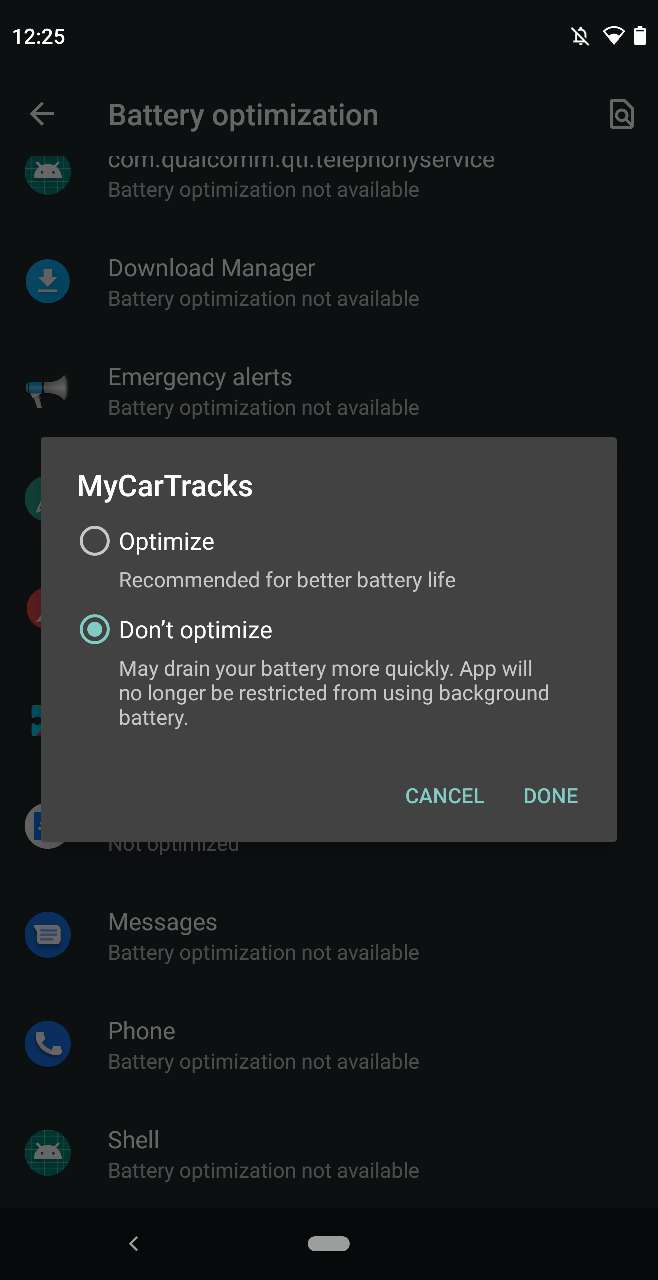
Set Battery optimization for the MyCarTracks app to Not optimized.
- Open your phone’s Settings app.
- Tap Apps & notifications > Advanced > Special app access > Battery optimization.
- Search for MyCarTracks, tap the app and select the Don’t optimizeoption**.**