It may happen that MyCarTracks app is not recording on Android 10 when running in the background because you don’t have the Location permission set to Allow all the time.
To enable that MyCarTracks has always access to Location permission go to Android Settings and then follow:
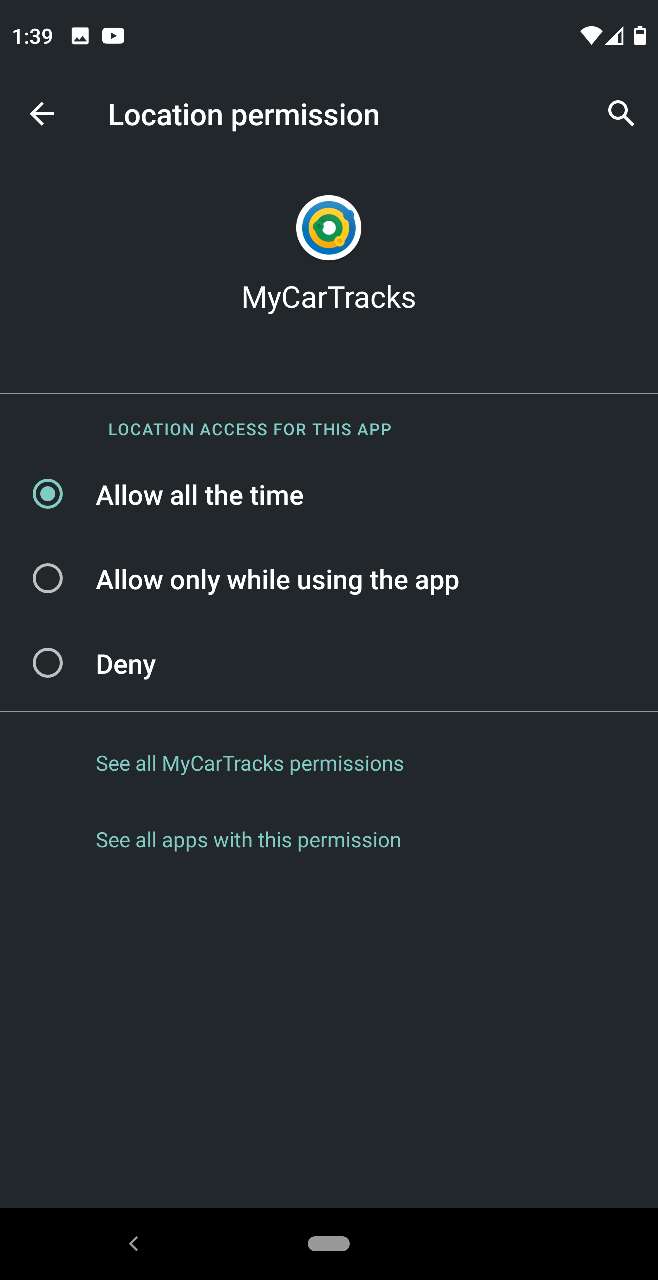
Apps & notifications > MyCarTracks > Permissions > Locationand here make sure to use the optionAllow all the time
It should look like this:
After that, it may happen that from time to time you will see also a notification that looks like the below, but that’s fine it only says that it is allowed to run in the background. Don’t tap on it or change to other that Allow all the time.