Stay up to date with the latest MyCarTracks iOS app improvements here.
iOS app update 1.7.0
This release brings a more complete iPhone experience with easier sign-in, better tracking behavior, and a more polished interface.
- Added more flexible sign-in and onboarding options, including Apple, Google, and Account ID access, with clearer setup guidance.
- Improved tracking reliability with better background handling, smarter automatic recording behavior, and clearer recording status feedback.
- Added support for job updates and notifications so assigned work can be synced and surfaced more clearly in the app.
- Refreshed the interface across key screens with better support for newer iPhones, dark-mode style updates, and cleaner vehicle and trip management flows.
- Expanded settings, sync feedback, and account controls to make troubleshooting, switching accounts, and managing app access easier.
This release is mainly focused on usability, tracking reliability, and overall app modernization.
iOS app update 2.0.2
Version 2.0.2 adds more control over how MyCarTracks records trips, plus new tools for exporting, importing, resetting, and syncing app settings.
New settings are available from the side menu under Settings.
New Recording Options
-
Settings > Recording > Max waiting time
Options:15 s,30 s,1 min,2 min,3 min,4 min,5 min,15 min (recommended),30 min,1 h -
Settings > Recording > Calculate missing mileage
Toggle option for automatically calculating mileage missing between two tracks during a location outage. -
Settings > Recording > Auto-resume track timeout
Options:Never,5 min,10 min (recommended),15 min,Always -
Settings > Recording > Min saved track distance
Options:No minimum,10 m,50 m,100 m (recommended),500 m,1 km,2.5 km,5 km
New Export / Import Options
-
Settings > Export / Import > Allow remote settings
Enables managing app settings remotely from the web app. -
Settings > Export / Import > Export settings
Export current app settings to a file. -
Settings > Export / Import > Import settings
Import app settings from a file. -
Settings > Export / Import > Reset settings to defaults
Restore settings back to default values. -
Settings > Export / Import > Synchronize settings from web
Manually sync settings from the web app.
Other improvements include a clearer manual recording reminder, refreshed recording mode icons, improved floating control layout, better settings labels, and a fix for live statistics timing.
iOS app update 2.0.3
We added in-app feedback and issue reporting.
You can now send feedback directly from the app and report issues for synced tracks, making it easier to share problems or suggestions with support.
iOS app update 2.0.6
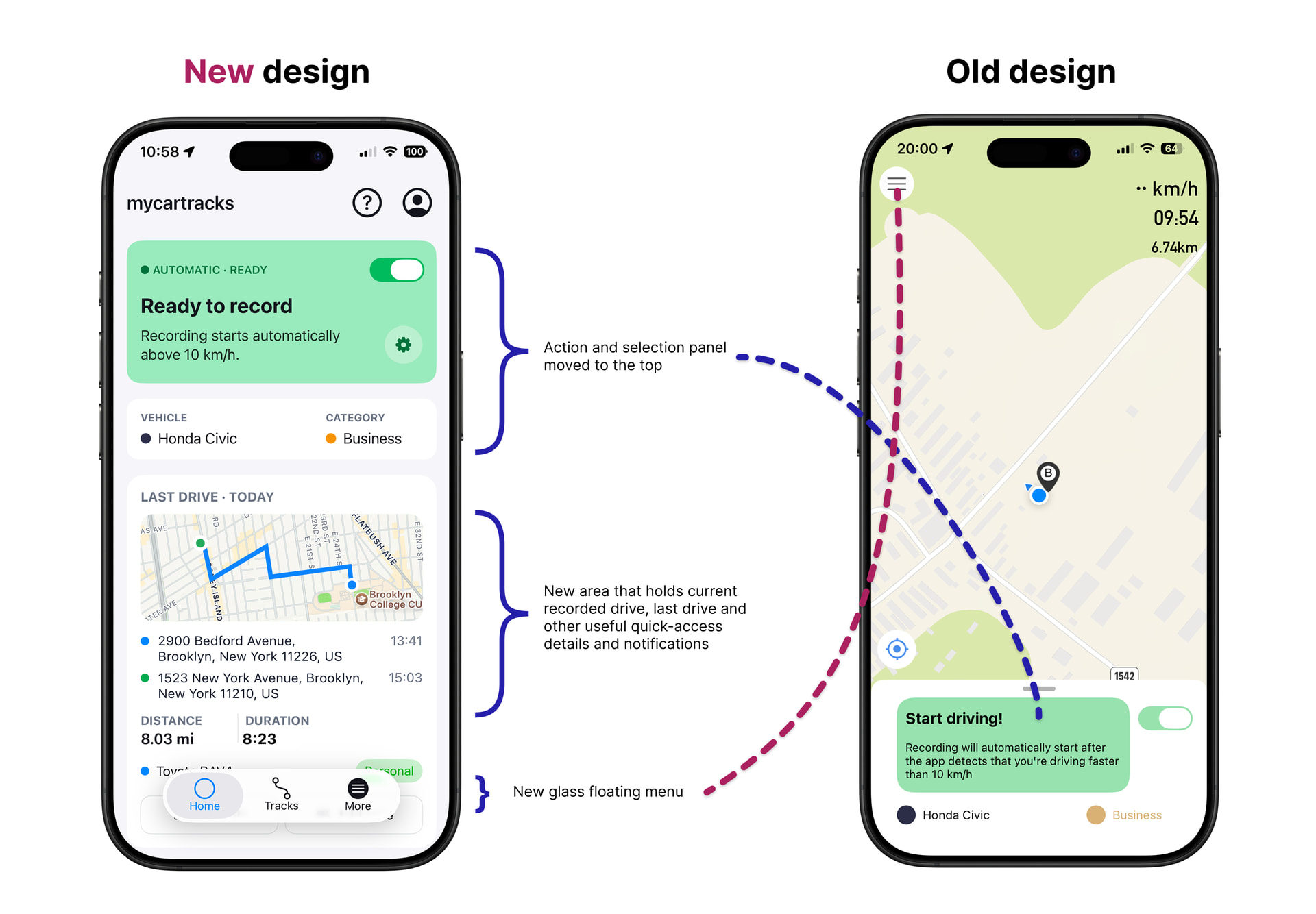
A refreshed MyCarTracks experience is here.
We’ve redesigned the app with a cleaner, more intuitive interface and aligned the experience across iOS and Android, making MyCarTracks feel familiar and consistent on both platforms.
This update also lays the foundation for what’s next, with more interface improvements and new features coming soon.
iOS app update 2.0.7
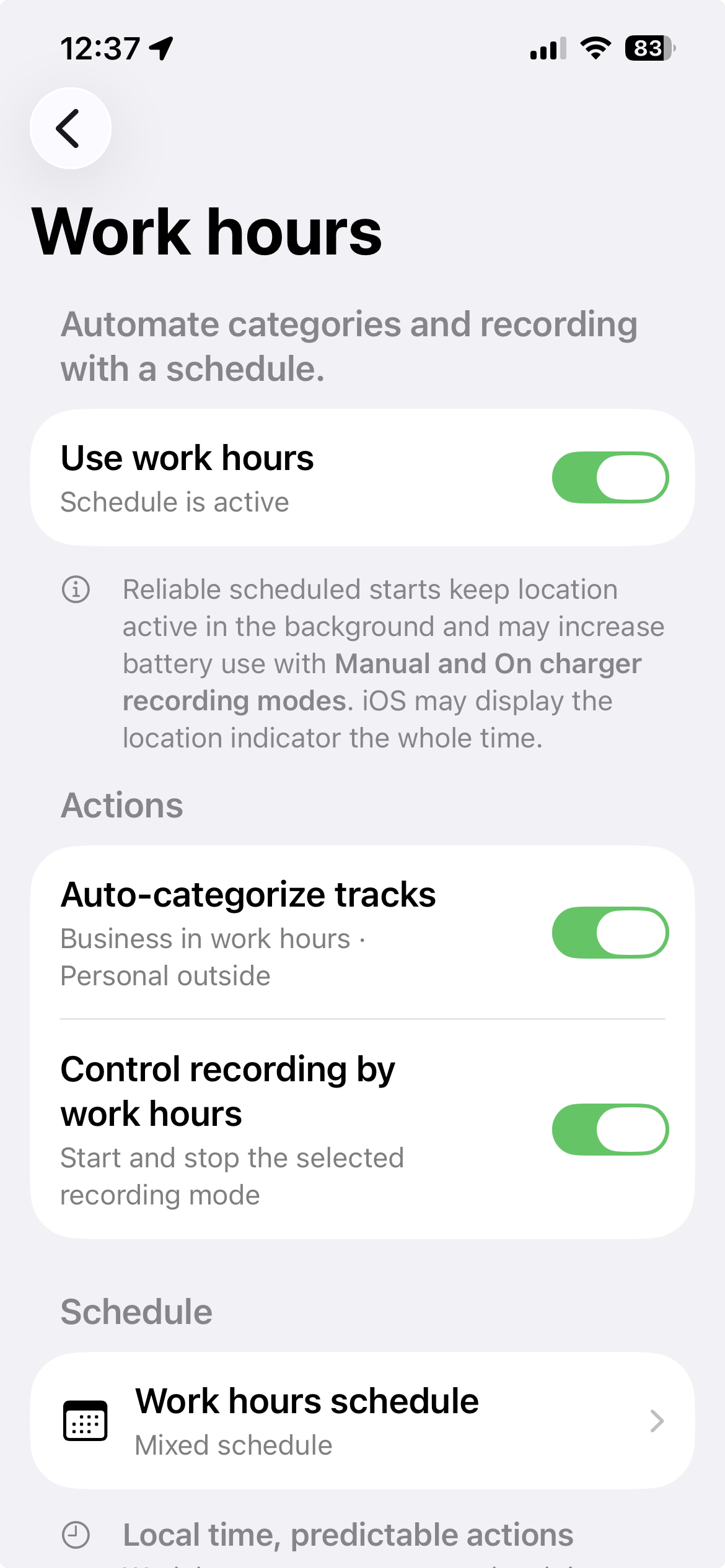
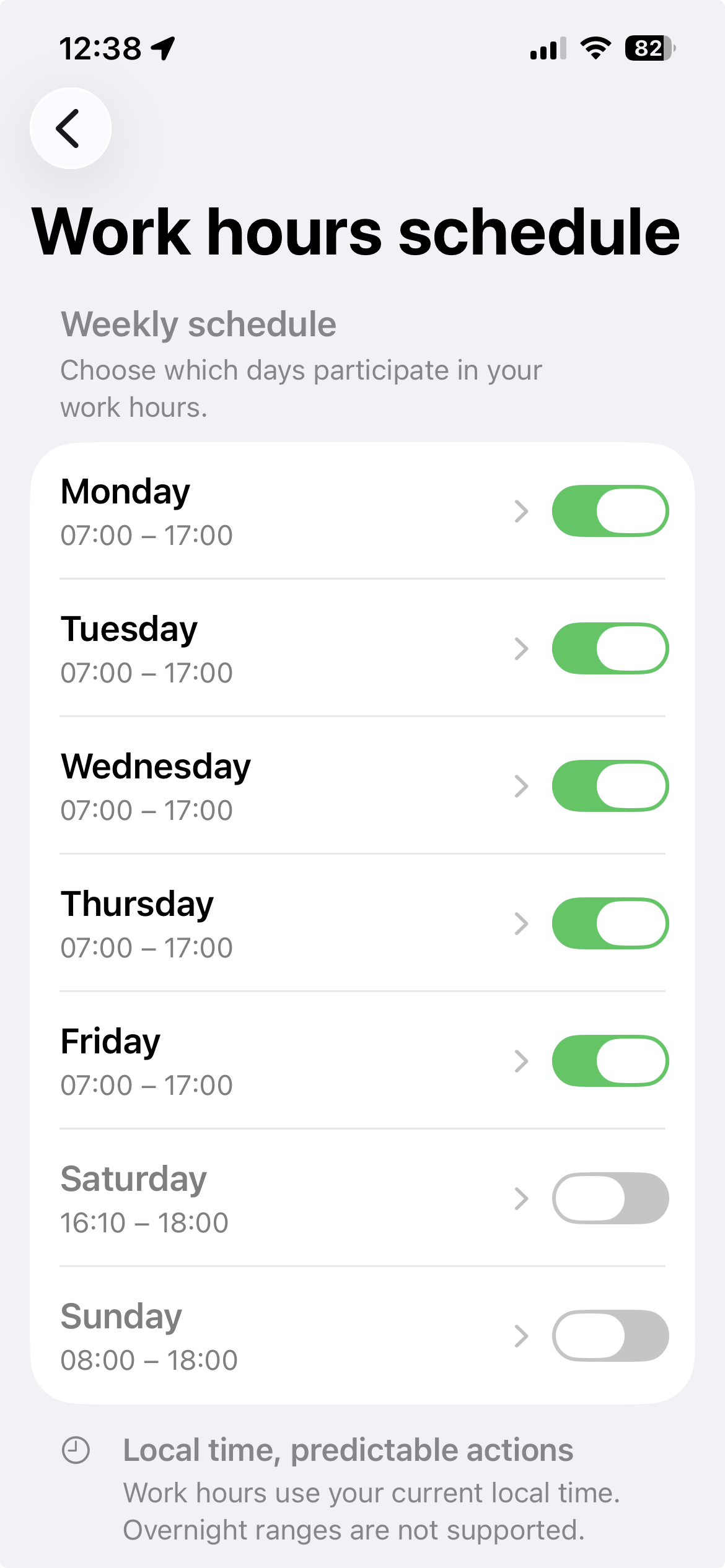
- New: Set a weekly Work Hours schedule to automatically categorize trips as Business during work hours and Personal outside them. You can also let recording start and stop with your schedule.
- Fixed an issue with Sign in with Apple.
- Improved the interface and overall usability.
- Fixed other bugs and stability issues.
iOS app update 2.0.8
We have added the option to see your current journey in more detail with the full-screen recording map. Follow your route as it’s recorded, view your speed, distance, and duration, and easily pan, zoom, or recenter the map. The new full-screen map is available after touching the Current journey when the app is actively recording a new track.